How a photo mosaic works
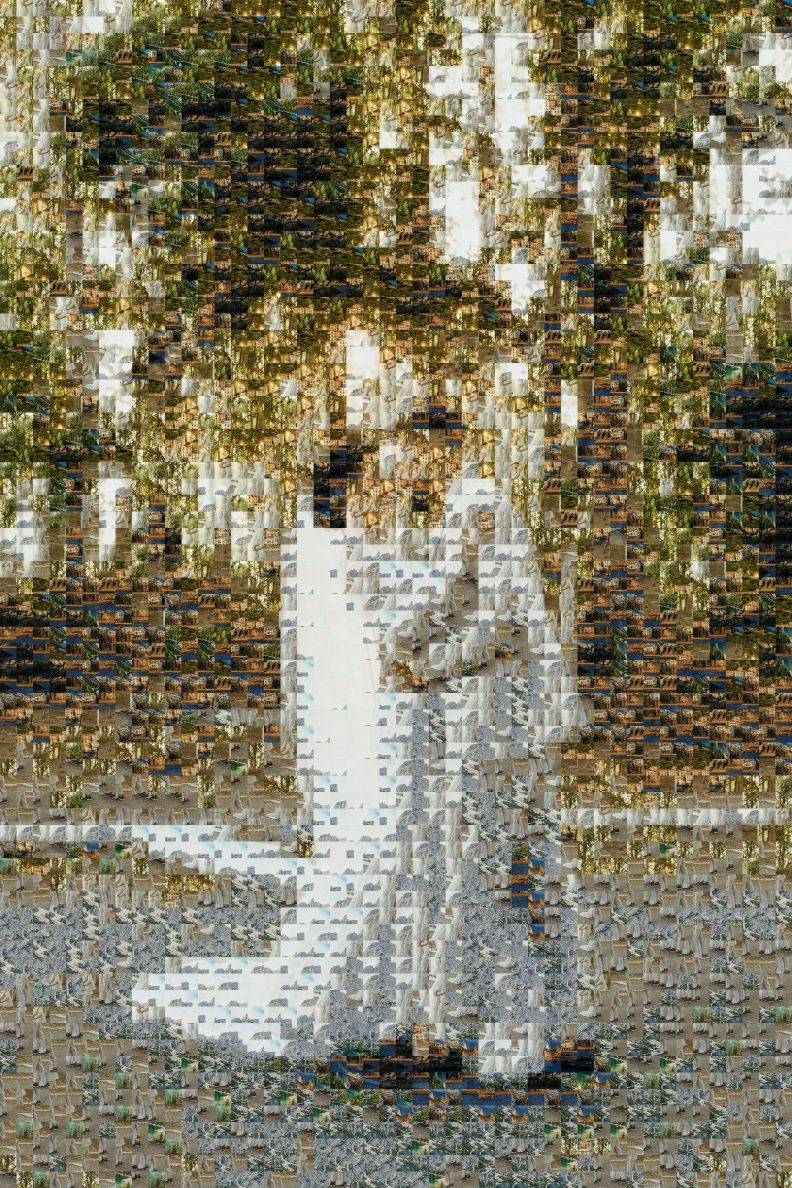
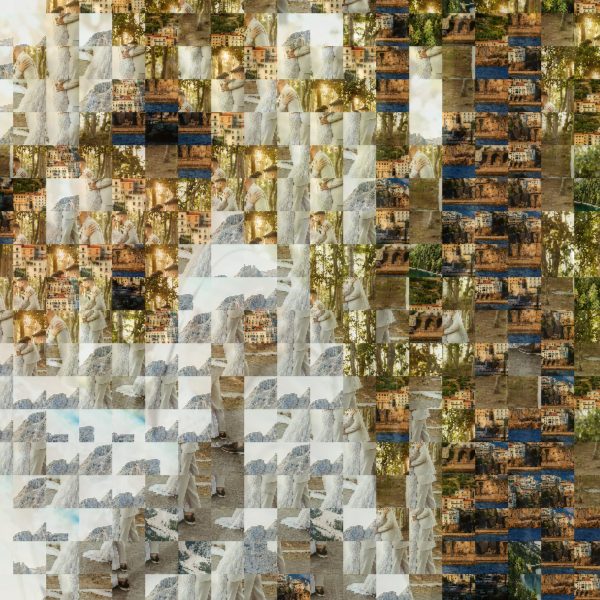
The tool divides your main photo into a grid of squares and measures the average color of each one. It does the same for every tile photo, after cropping it to a square from the center. Then, square by square, it picks the tile photo whose color is the closest match, using a color distance that weights green more heavily because our eyes are most sensitive to it.
Two rules keep the mosaic from looking like a few photos repeated: a photo is never placed directly next to, above or diagonally above itself, and the Variety setting adds a small cost each time a photo is reused. Everything runs in your browser. Nothing is uploaded, which also means a few hundred photos are processed in seconds to a minute, depending on your device.
Choosing the main photo
The main photo matters more than anything else. A mosaic loses fine detail, so pick an image that still reads when it is blurry or seen from across a room.
- One clear subject, large in the frame. A head-and-shoulders portrait, a couple, a pet. Small faces in a group photo disappear.
- Strong light and dark areas. A face against a plain bright sky or a dark background works far better than a busy scene with similar tones everywhere.
- Simple background. Crop out clutter first. The photo resizer can reduce a very large file, and any photo editor can crop.
- Portrait or landscape both work. The mosaic keeps your main photo’s shape and adds rows to match.
How many tile photos you need
A mosaic needs more cells than most people have photos, so repeats are normal. What matters is variety of color: the tool can only paint a blue sky if some of your photos are mostly blue.
| Tile photos | What to expect |
|---|---|
| 2–20 | Works as an effect, but every photo repeats many times and colors are approximate. |
| 30–80 | Recognizable result at 30–50 tiles across. Good for a card or a post. |
| 100–300 | The sweet spot. Rich color, few obvious repeats, worth printing. |
| 300–500 | Best for 80–120 tiles across and large posters. |
Mix light, dark and colorful photos: outdoor shots, indoor evenings, close-ups of food or flowers. If your photos are mostly one color, raise the blend so the main photo carries the shapes. Gathering photos from several people? A shared folder works well; our guide to organizing photos shows how to keep everything in one place.
Settings and print sizes
Tiles across controls the trade-off between the big picture and the small ones. Fewer tiles make each photo bigger and easier to recognize; more tiles make the main image sharper. Forty to sixty is a good start for a portrait.
| Output size | Tile size at 50 across (square photo) | Prints well up to |
|---|---|---|
| Screen, 2,400 px | 48 px | 8 in at 300 PPI, or sharing online |
| Print, 4,800 px | 96 px | 16 in at 300 PPI, about 20×30 in viewed from a few feet |
| Poster, 7,200 px | 144 px | 24 in at 300 PPI, about 24×36 in and larger |
Exact pixel sizes depend on the shape of your main photo and are shown when the mosaic is ready. Check a print size against your file with the print size calculator, or see the photo print sizes chart for standard poster sizes.
Blend overlays a faint copy of the main photo. Purists use 0%. Most printed mosaics you see at weddings and memorials use some blending, because it makes the image recognizable from across the room while each tile is still visible up close.
Photo mosaic ideas
- Wedding or anniversary: the couple’s portrait made from photos of their years together, printed for the reception or the 25th anniversary party. Our anniversary ideas have more.
- Graduation: a cap-and-gown portrait made from school photos, friends and teams. Pair it with a graduation slideshow.
- Yearbook cover or class poster: the school crest or a group photo built from every student’s portrait. See our yearbook ideas.
- Celebration of life: a favorite portrait made from photos across a lifetime, for a memorial display. Our memorial ideas cover gathering photos from family.
- Christmas: a family photo made from the year’s photos, as a poster or a card. The Christmas photo collage maker does the card layouts.
- Retirement or team gift: a portrait of the person made from photos colleagues send in.
- Pet portrait: your dog or cat made from a few hundred photos of themselves.
Questions
Is this photo mosaic maker free?
Yes. There is no sign-up, watermark or limit on downloads. The mosaic is built in your browser, so your photos never leave your device.
How many photos do I need for a photo mosaic?
It works with as few as two, but the result improves quickly with variety. Aim for 50 or more tile photos; 100 to 300 gives a rich mosaic where few photos repeat.
Why can I still see repeated photos?
A 60-column mosaic has thousands of cells, so most photos appear several times. Raise “Variety,” add more tile photos, or use fewer columns. The tool never puts the same photo directly beside itself when you have more than four.
What does “Blend the main photo” do?
It lays a faint copy of the main photo over the tiles. Around 20–30% makes the big picture much clearer from a distance while the small photos stay visible up close. Set it to 0% for a pure mosaic.
Can I print a photo mosaic as a poster?
Yes. The large setting makes a 7,200-pixel image, which prints at 300 PPI up to 24 inches on the long side, or larger at a lower resolution where the poster will be seen from a few feet away.
Does it work on a phone?
Usually, with smaller settings. Phones limit canvas memory, so choose the screen size and up to about 200 tile photos if a large mosaic fails.
Want the photos side by side instead? Use the photo grid maker for a neat grid of up to 60 photos.